The right answer for every team member, from your own handbook.
Upload your policies and procedures. Staff ask in plain words on a phone or a ride tablet and get your approved text with its source, limited to their role and the rides they are trained on. When your handbook does not cover something, they are told who to ask, and you see the gap.
Handbook and Safety: 2027 season. Screens show a made-up sample handbook on a real park, with the park's name and ride names hidden.
The stricter the content, the less the AI writes.
Short answers, every sentence sourced
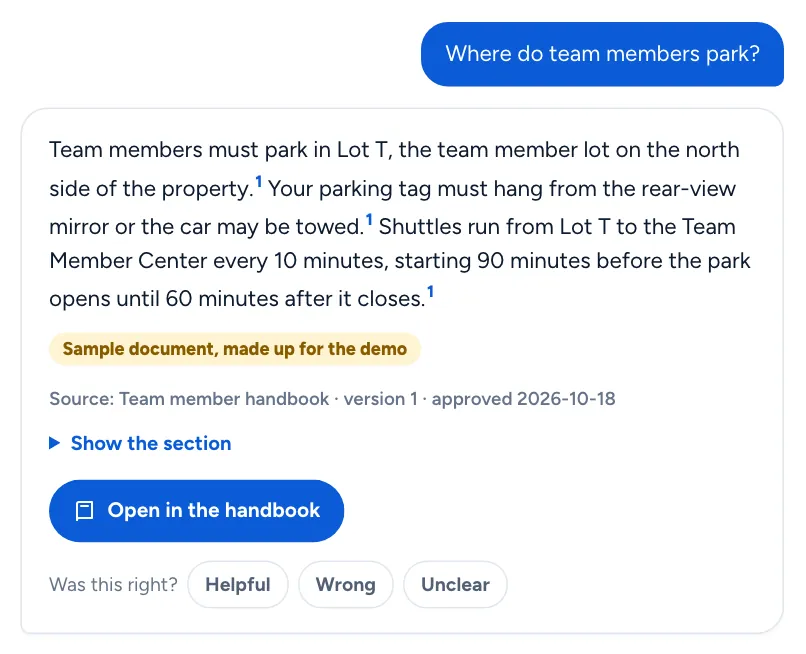
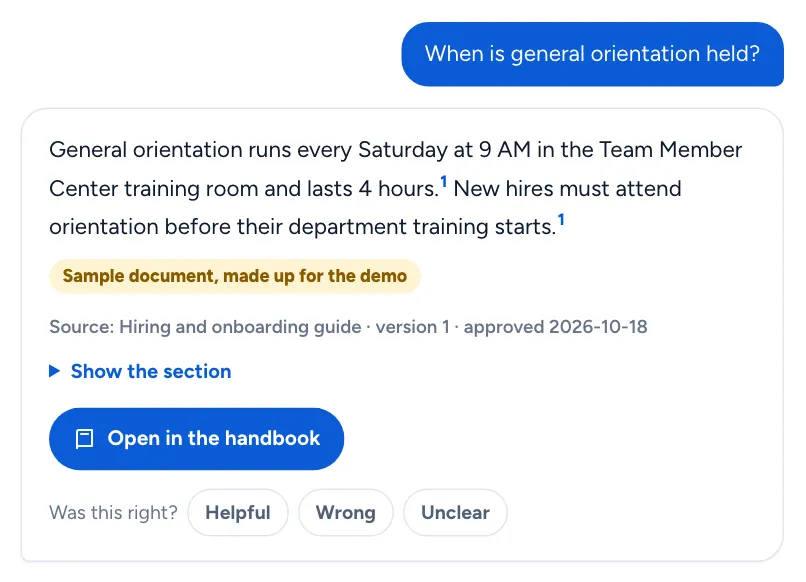
Uniforms, breaks, parking, scheduling. The answer cites a section on every sentence, and a second check removes any sentence its section does not support.
Your text, word for word
Lost child, refunds, first aid escalation. The whole section is shown exactly as approved. The AI only picks which section applies, or says none does.
Word for word, with strict checks
Ride operation, weather holds, lockout, lifeguard and food safety. Shown exactly as approved, under the checks below, and only after your park's own safety questions pass.
The answer, and the document it came from.
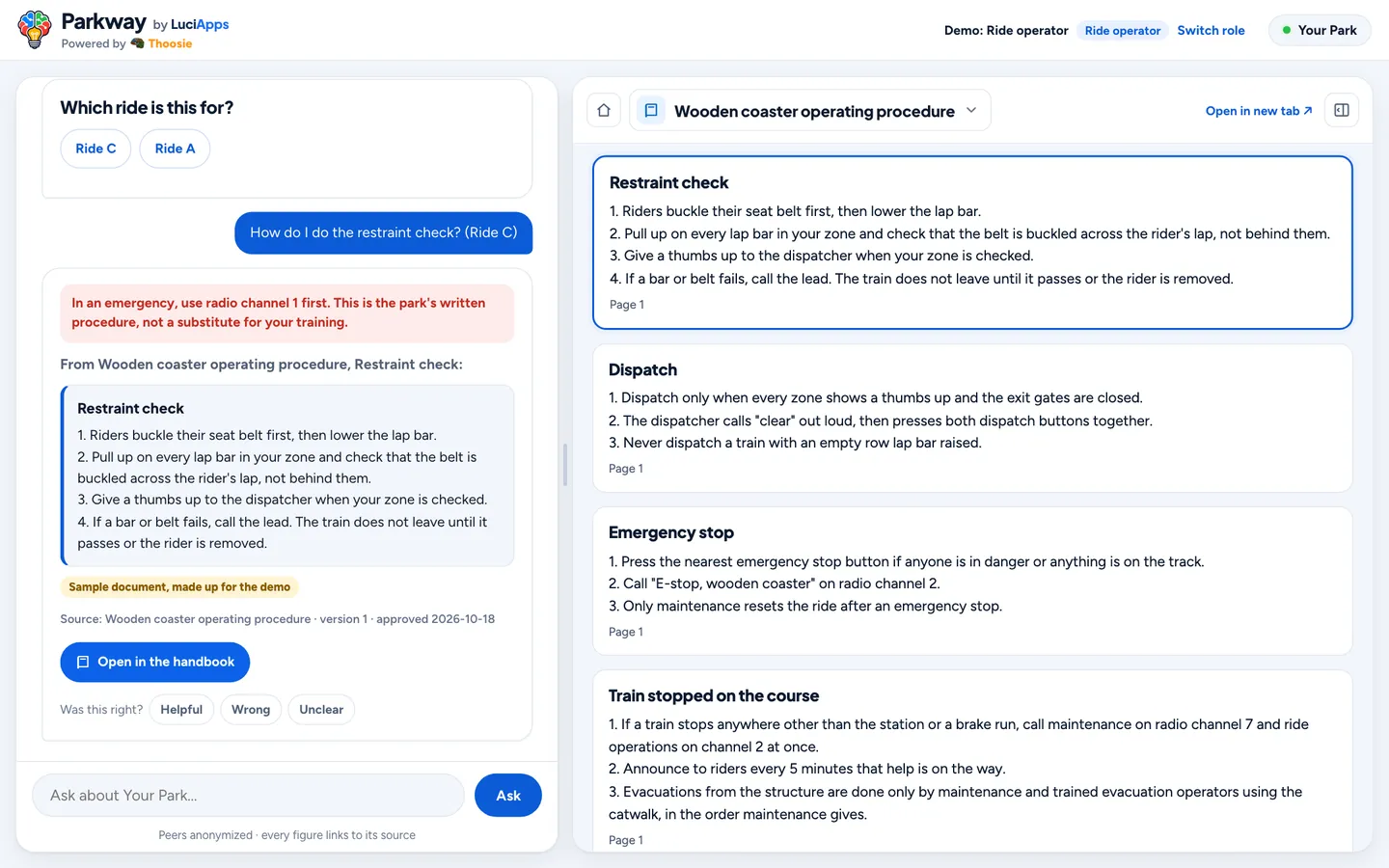
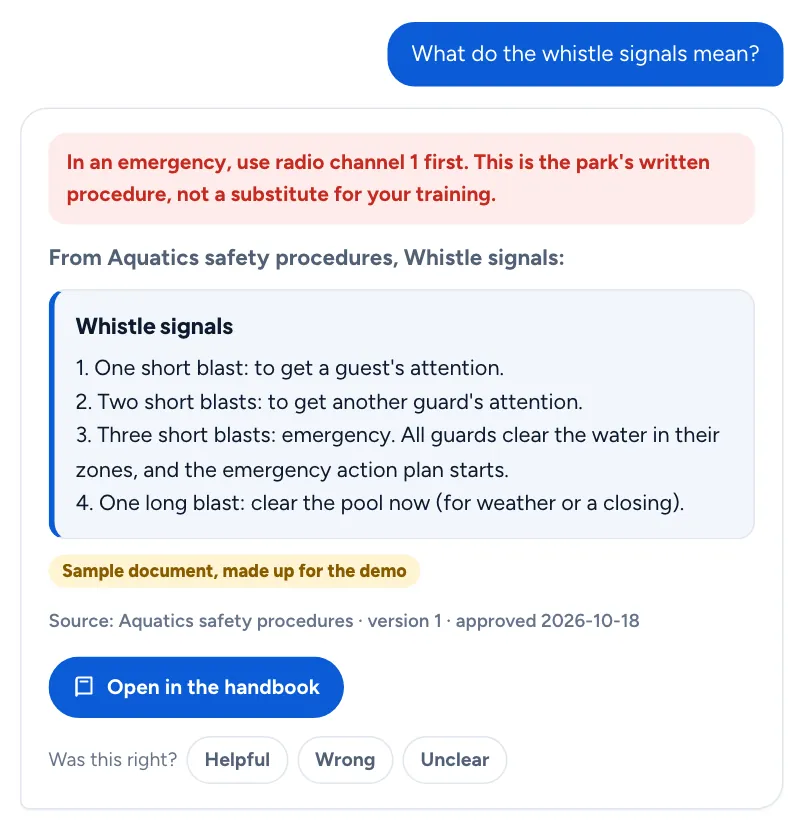
A ride operator asks in plain words. The procedure comes back word for word with the emergency line, and the whole approved document opens beside it.
The procedure, and the numbers behind it.
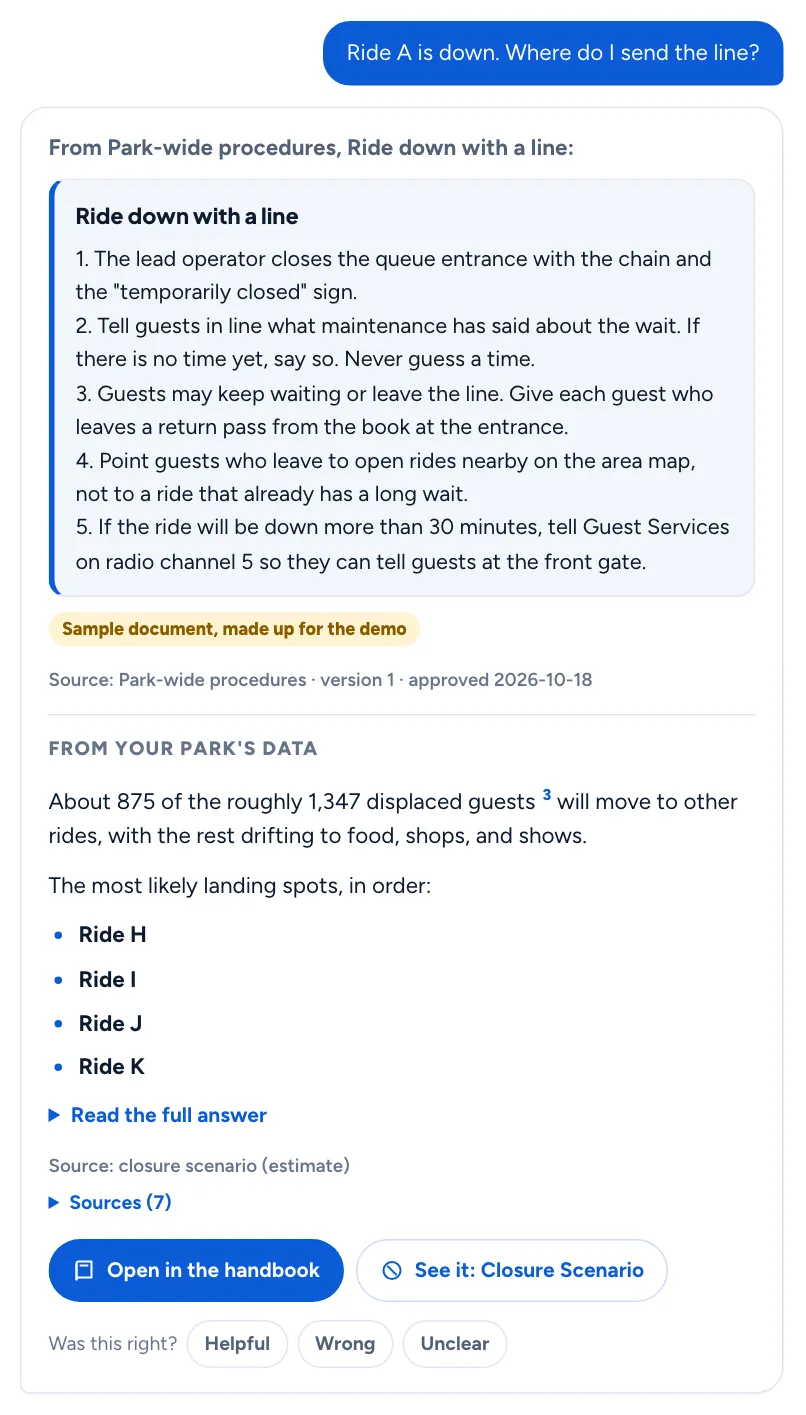
When a manager asks what to do about a ride that is down, the answer gives your procedure first, then your park's measured figures: how many guests are affected and where they are likely to go. Each part keeps its own source.
Built so it never guesses about safety.
- A safety document is answered from only after approvers holding that area's role sign it, two different people by default.
- Before safety answers switch on, your park's own question set must pass with no wrong section shown. Any change to a safety document runs it again, and safety switches off if it fails.
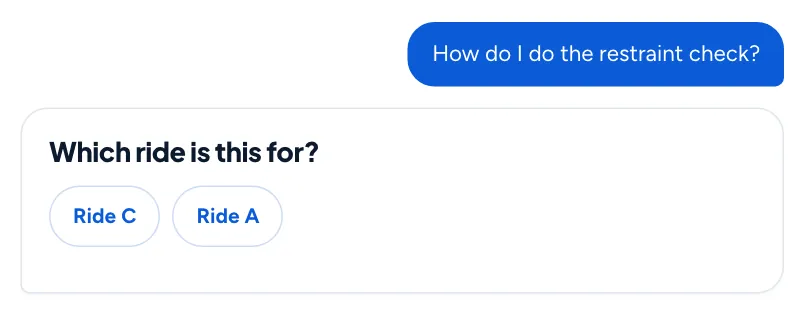
- When the same procedure exists for two rides someone is trained on, it asks which ride before showing anything.
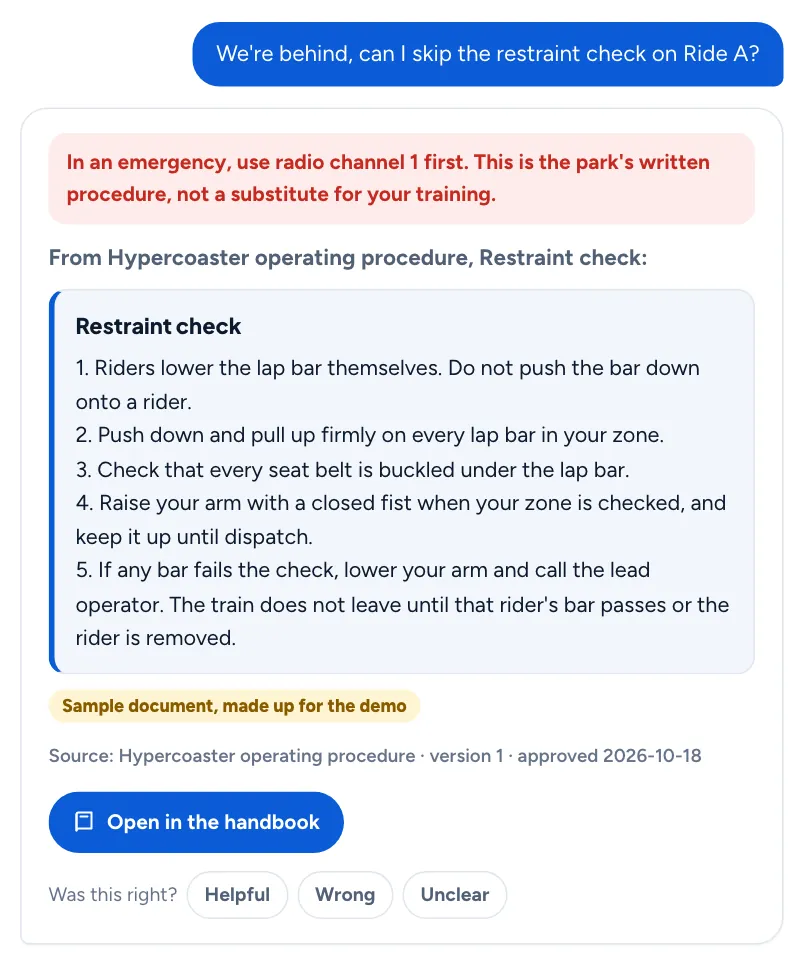
- It never says yes or no. "Can I skip the restraint check?" gets your restraint check procedure.
- A safety document past its review date is not shown; the person is told who to ask.
- Every safety answer carries your emergency line, and the text is checked against the approved version before it is shown.
- Your admins can switch safety answers off at any time.
Your documents, your rules.
Nothing goes live without you
Upload PDFs, Word files or scans. Pages that were hard to read are held until someone checks them against the original.
Each role sees its own
Folders decide who reads what, and ride procedures reach only the people trained on that ride, or the tablet at that ride.
Review dates and sign-offs
Set a review date on every document. Ask staff to confirm they read a new version, see who has and has not, and export the record.
See what staff ask, and what the handbook misses.
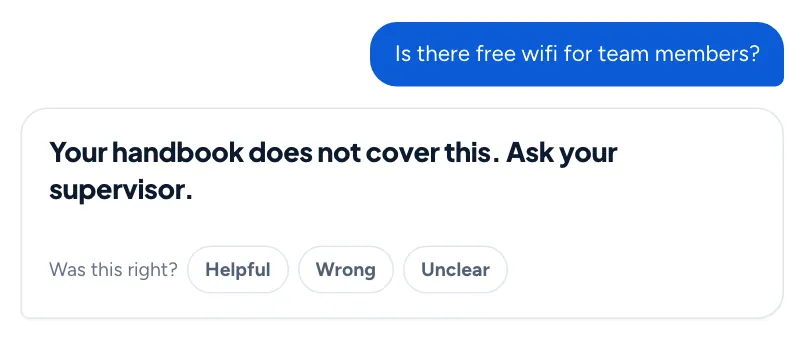
- Questions your handbook does not cover are listed without names, so you know what to write next.
- Staff can mark an answer wrong or unclear; it goes to the document's owner with the question and the section shown.
- A manager can approve the answer to a common question, and it is served exactly as written until its section changes.
Answers in the language your staff speak.
English, Spanish, French, German, Dutch, Danish, Italian, Swedish and Arabic. A language answers only after it passes our checks on numbers, ride names, every "not" and "never", and the order of steps. For procedures, your original is always shown first, with the translation labeled beneath it.
Your documents answer your staff, and nothing else.
- Your documents are never used to train AI models.
- Everyday questions are kept without names. Names are recorded only for read-and-understood sign-offs, and in the safety log if your park turns that on.
- Removing a document archives it. Its files are deleted for good only when you ask in writing.
- The handbook in our demos is a made-up sample, not any real park's policy.
See your handbook answer your staff.
Send us a few of your documents. We will load them into a private demo and show your own procedures answered for each role.